Help Center
Updated on 2026-04-10
views
5min read
Downloading movies on Netflix comes with several limitations.
Firstly, you cannot save Netflix-downloaded movies to your local storage.
Secondly, the downloaded movies are only accessible for 7 to 30 days, and they can expire 48 hours after you play them.
If you want to bypass these Netflix download limitations, the best solution is to extract the downloads. This guide will introduce you to the most effective ways to extract Netflix downloads and save them forever without any complications.

Part 1: Can you Extract Netflix Downloads?
Yes, you can extract Netflix downloads. However, you need a Netflix downloader software or a screen recorder.
With Eassiy Screen Recorder Ultimate, you can easily capture any video playing on your screen and save it in MP4 or other formats permanently for offline viewing.
A screen recorder, on the other hand, enables you to record Netflix movies and save them in any format flawlessly.
If you want to find out what Netflix downloader software and screen recorder app are the best to extract Netflix download, keep reading.
Part 2: How to Extract Platforms Downloads Forever With Eassiy Screen Recorder Ultimate
When it comes to saving streaming videos permanently for offline viewing, the best tool for the job is Eassiy Screen Recorder Ultimate.
Unlike regular screen recording software, Eassiy Screen Recorder Ultimate allows you to capture any video playing on your screen in crisp quality up to 4K, and it supports various output formats including MP4, MOV, and MKV.
What sets Eassiy Screen Recorder Ultimate apart is its powerful recording engine. It captures on-screen content with no quality loss, and its scheduled recording feature allows you to automate capture tasks effortlessly.
In addition, this software offers a real-time annotation tool that lets you highlight or mark content during recording, and an auto-stop recording feature to help you manage your recording sessions without manual intervention.
Key Features
- Records any on-screen video in up to 4K resolution with no quality loss, bypassing black screen issues.
- Flexible recording area selection — capture full screen or define a custom region around the video player.
- Captures system audio and microphone simultaneously for a complete and immersive recording experience.
- Supports scheduled recording and auto-stop to fully automate capture tasks without manual intervention.
Steps to use Eassiy Screen Recorder Ultimate:
Step 1: Download and install Eassiy Screen Recorder Ultimate from the official website. Launch the program and select Video Recorder from the main interface.
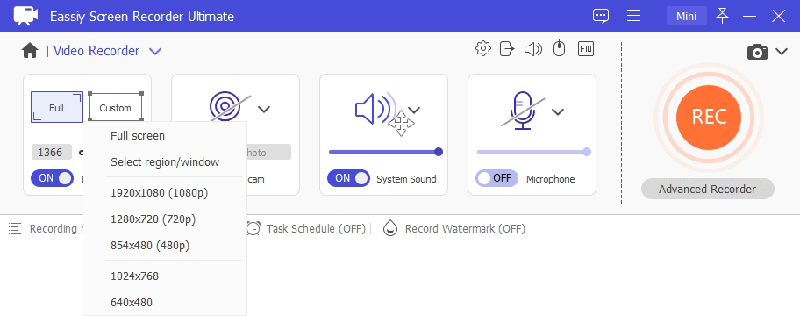
Step 2: Select your recording area. Choose full screen or drag to define a custom region around the video player window.
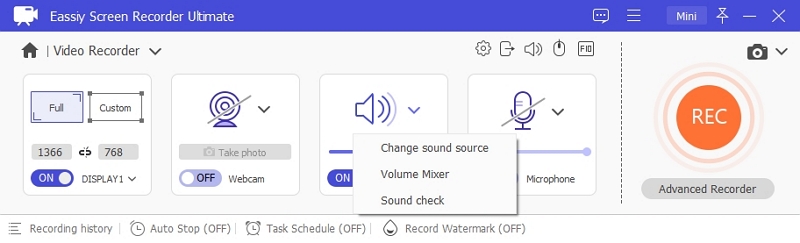
Step 3: Enable System Sound to capture the video's audio. Adjust the volume slider to your preference.
Step 4: Open Preferences to configure your output format (MP4, MKV, or MOV), video quality, and hotkeys before starting.
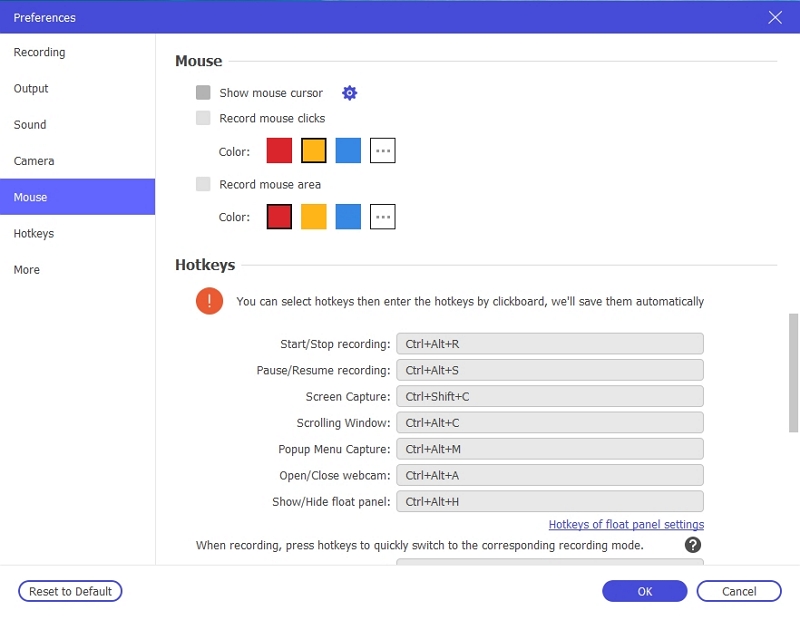
Step 5: Play the video on your screen, then click the REC button to begin recording. Use the annotation toolbar to add highlights or notes in real time if needed.
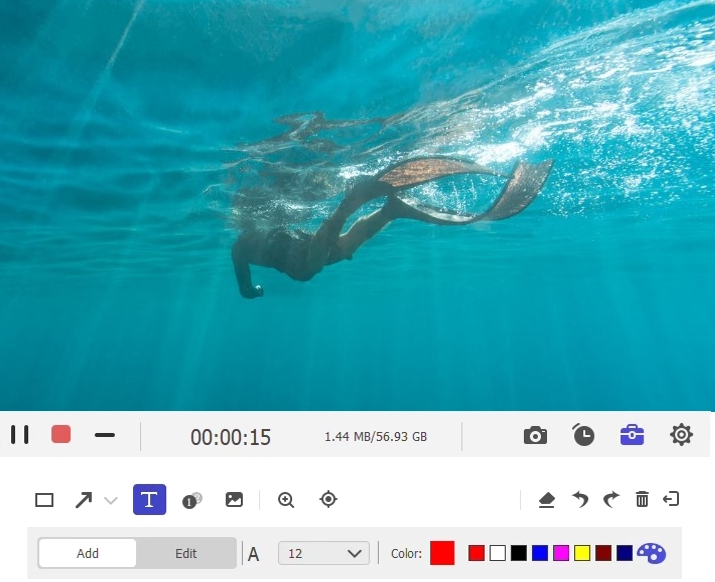
Step 6: Click the Stop button when the video finishes. The recording will be automatically saved to your computer and ready for offline playback at any time — permanently, with no expiry dates.
Bonus: Recommended Movies for Netflix
If you’re looking for interesting Netflix movies that you can extract and watch on any device, here are some top recommendations:
1. Extraction I
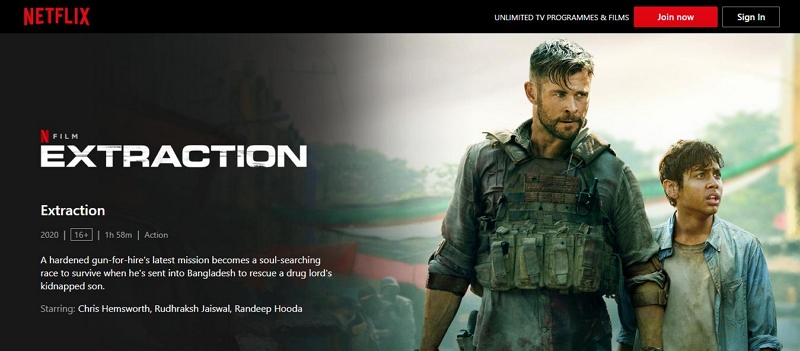
Extraction follows Tyler Rake, an Australian black ops mercenary, who is hired to rescue Ovi Mahajan Jr., the son of an imprisoned Indian crime lord. The mission takes place in Dhaka, Bangladesh, where Ovi has been kidnapped by a rival drug lord. As Tyler navigates the treacherous underworld, he faces numerous challenges, including corrupt police and double-crossing allies. The mission quickly spirals out of control when the ransom fails to be paid, leading to intense action sequences and a desperate fight for survival. Throughout the ordeal, Tyler forms a bond with Ovi, reflecting on his own tragic past as he risks everything to save the boy.
2. Extraction II
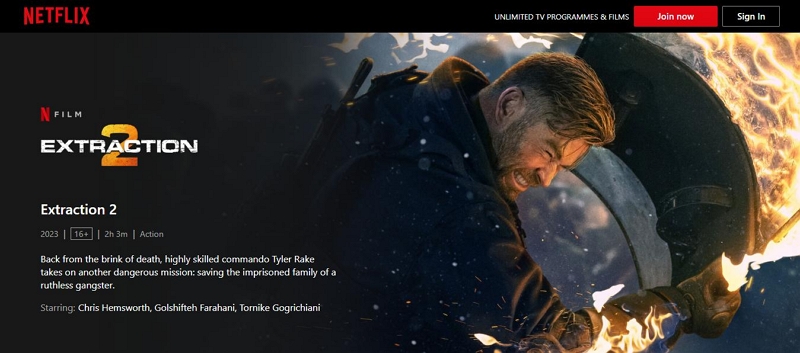
In Extraction II, mercenary Tyler Rake returns after surviving his previous mission's injuries. He is reluctantly drawn back into action when approached by Alcott, who tasks him with rescuing Ketevan and her children from a high-security Georgian prison. As Tyler assembles his team, including Nik and her brother Yaz, they infiltrate the prison amid chaos and violence. The mission escalates into a fierce battle against prisoners loyal to Ketevan's husband, Davit. After navigating a series of intense confrontations and a dramatic escape involving a train crash, Tyler must confront the consequences of his actions while dealing with his unresolved grief over his son’s death.
FAQs
Can I Extract Streaming Videos in 1080p?
Yes, you can use Eassiy Screen Recorder Ultimate to capture any streaming video in up to 4K resolution. However, the quality of the recording depends on the resolution of the source video being played on your screen.
Is it free to extract movies from streaming platforms?
Most reliable screen recording tools require a paid plan to unlock full features. The good news is that Eassiy Screen Recorder Ultimate offers affordable pricing plans and allows you to capture unlimited streaming videos permanently without any expiry restrictions.
Conclusion
As you can see from the above guide, it's not difficult to save streaming videos for offline viewing. You just need a reliable screen recorder tool. The tools introduced in this article are very effective for capturing any type of streaming content. Eassiy Screen Recorder Ultimate is the best choice for saving videos permanently — offering high-quality recording, flexible output formats, and no expiry dates or platform restrictions.