Help Center

Updated on 2026-04-14
views
5min read
The Hulu login activate process can sometimes be confusing—especially with the wide range of supported devices. Whether you're using a smart TV, streaming device, gaming console, or mobile phone, each platform has its own method for signing in and activating your account. That’s why we created this updated Hulu Login Activate Guide for 2025.
In this step-by-step tutorial, you’ll learn how to log into Hulu, activate it on various devices, and troubleshoot common login issues with ease.
Part 1: What is hulu.com/activate?
hulu.com/activate is Hulu’s official activation portal used to link a supported device to your Hulu account. When you open the Hulu app on a device and select Log In → Activate on a computer, a unique code appears on your screen. Instead of typing your email and password directly on that device, you go to hulu.com/activate on a separate device (like a phone or computer), log into your Hulu account, and enter the code to complete activation.
While logging in typically means entering your credentials directly on the device, activation is a faster, more convenient way to authorize access—especially on devices with limited input capabilities. This method works across a wide range of platforms, including smart TVs, Roku, Apple TV, Xbox, PlayStation, Fire TV, and Chromecast.
Part 2: How to Login and Activate Hulu on Different Devices
Whether you’re setting up Hulu on a Smart TV, Roku, Firestick, or console, the Hulu login activate process is straightforward when using hulu.com/activate. Below are detailed steps for activating your Hulu account on various devices, along with tips to resolve common Hulu activation code issues.
1. Smart TVs (Samsung, LG, Android TV) – Activate Hulu with Code
Step 1: Connect your smart TV to the internet and open the Hulu app.
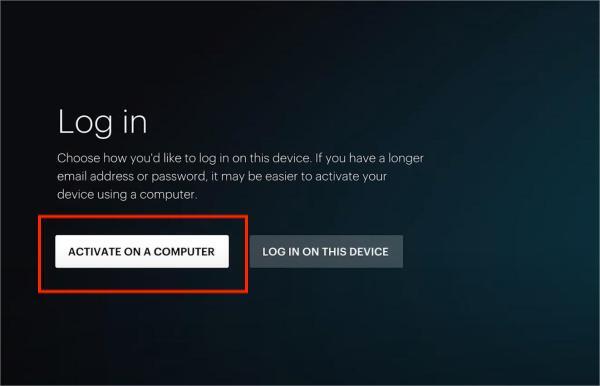
Step 2: Select Log In → Activate on a Computer. A unique activation code will appear.
Step 3: On a separate device, go to hulu.com/activate, enter the code, and click Continue.
Your TV app will refresh and automatically log in.
Tip: If the Hulu activation code not working, try restarting the app or your TV, then generate a new code.
2. Roku – Hulu Login/Activate on Roku Devices
Step 1: On your Roku, press Home, search for “Hulu,” and add the channel.
Step 2: Launch Hulu → tap Log In → Activate on a Computer to get your code.
Step 3: Open www.hulu.com/activate, sign into your Hulu account, and enter the activation code for Roku.
Step 4:Hulu will activate automatically on your Roku device.
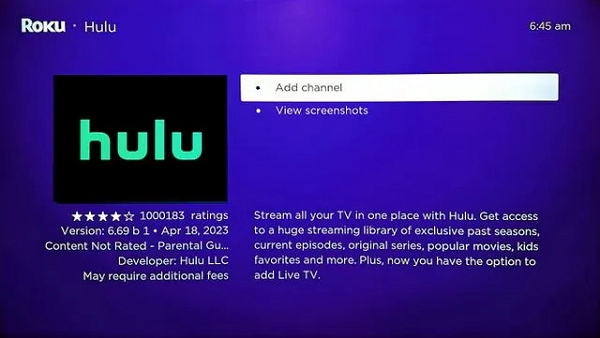
Works with all Roku streaming sticks and Roku-enabled Smart TVs.
3. Amazon Fire TV / Firestick – Activate Hulu App
Step 1: Go to Apps on your Fire TV or Firestick and install the Hulu app.
Step 2: Launch Hulu → select Log In → Activate on a Computer.
Step 3: On your browser, visit hulu.com/activate and enter your Firestick Hulu activation code.
Step 4: The Hulu app on Firestick will refresh and sign you in.
If Hulu won’t activate on Fire TV, check for app or system updates.
4. Apple TV – Hulu Login/Activate via Activation Code
Step 1: Open the App Store on your Apple TV and install the Hulu app.
Step 2: Launch it → go to Log In → Activate on a Computer.
Step 3: Visit hulu.com/activate, log in, and enter the code displayed on your Apple TV screen.
Step 4:You’ll be signed in and ready to stream.
Note: Link your Hulu account to your Apple ID for smoother access.
5. Xbox / PlayStation – Hulu Activation on Game Consoles
Step 1: Download the Hulu app from the Xbox or PlayStation store.
Step 2: Open the app → choose Log In → Activate on a Computer.
Step 3: Go to www.hulu.com/activate, sign in, and enter your Hulu activation code for Xbox or PS5.
Your console will connect to your Hulu account instantly.
6. iPhone, iPad & Android – Sign In Without Activation Code
Step 1: Download the Hulu app from the App Store (iOS) or Google Play (Android).
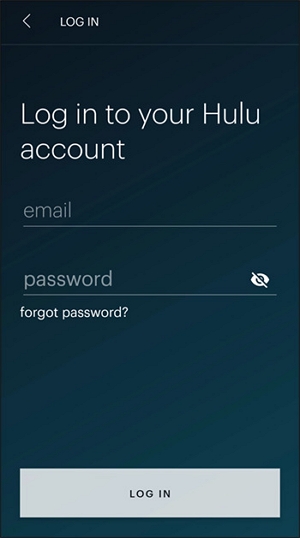
Step 2: Launch the app and tap Log In.
Step 3: Enter your Hulu email and password directly—no need for hulu.com/activate on mobile.
You’ll be signed in immediately and can start streaming.
Part 3: Hulu Login Issues and Activation Not Working? Try These Fixes
Having trouble with Hulu login or activation? Whether you're stuck at the hulu.com/activate page, didn't receive your Hulu activation code, or your device won’t log in, the following troubleshooting steps will help resolve most Hulu activation not working errors.
1. Double-Check the Activation Code
Before anything else, ensure that you're entering the Hulu login code correctly and promptly on hulu.com/activate. These codes are case-sensitive and usually expire within a few minutes.
If the code doesn’t work, refresh the app on your device to generate a new activation code for Hulu.
2. Use a Compatible and Updated Web Browser
Hulu’s activation site may not work properly in outdated or unsupported browsers.
- Use: Latest versions of Google Chrome, Microsoft Edge, or Safari.
- Avoid: Internet Explorer and old versions of Firefox.
If hulu.com/activate doesn’t load or shows errors, switch browsers and try again.
3. Clear Your Browser Cache
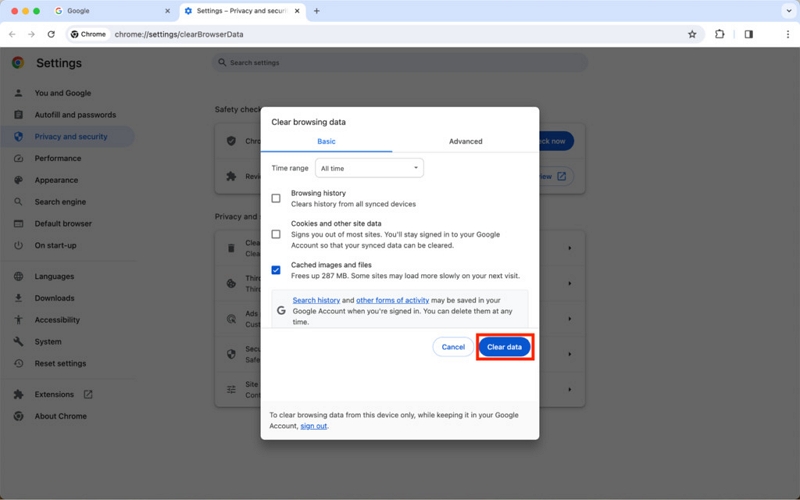
Stored cache can cause the Hulu activation page to malfunction. Follow these steps to clear your cache in Chrome:
Step 1: Click the three-dot icon in Chrome (top-right corner).
Step 2: Go to More tools → Clear browsing data.
Step 3: Select Time range as “All time.”
Step 4: Tick Cached images and files (you can uncheck the rest).
Step 5: Hit Clear data.
4. Disable Ad Blockers or Pop-up Blockers
Ad or pop-up blockers may interfere with Hulu activation code input fields or block key scripts.
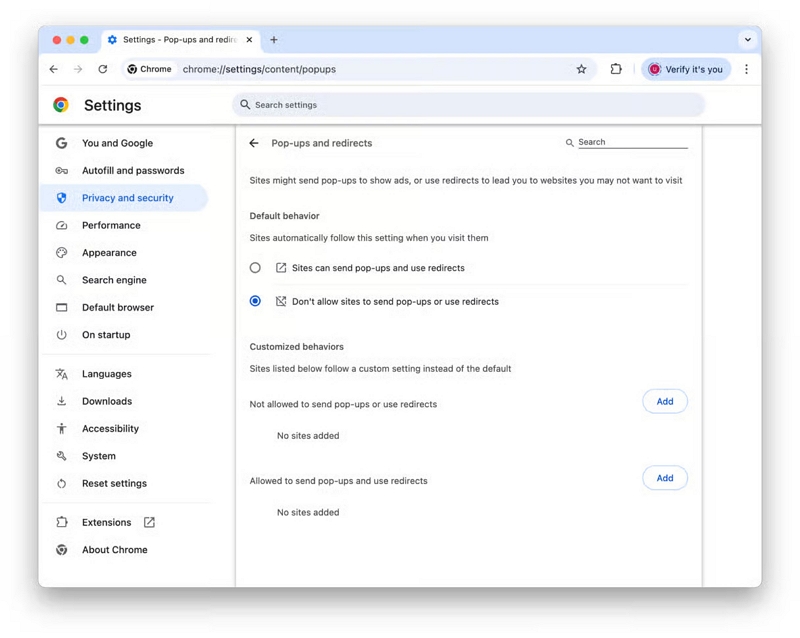
Steps in Chrome:
Step 1: Go to Settings → Privacy and security → Site settings.
Step 2: Click Pop-ups and redirects.
Step 3: Add www.hulu.com to the Allow list.
You can also temporarily pause ad blockers like uBlock Origin or Adblock Plus while activating Hulu.
5. Check for Hulu App or System Updates
Outdated Hulu apps or system software can prevent proper code generation or sync.
On Smart TVs, Firestick, Roku, etc., check for both app and firmware updates.
6. Reinstall the Hulu App
If activation issues persist:
- Uninstall the Hulu app from your device.
- Reboot the device, then reinstall Hulu.
- This will refresh app data and generate a new working Hulu activation code.
7. Ensure Stable Internet Connection
A weak or unstable connection may block the Hulu login or activation process.
- Try switching from Wi-Fi to Ethernet, or use mobile data if you're on a phone.
- Reboot your router or modem if needed.
8. Hulu Still Not Activating? Contact Support
If your Hulu account won't activate after all the above fixes, reach out to Hulu Support for device-specific help.
Part 4: How Many Devices Can You Activate on Hulu?
When you Hulu login activate a device, it’s important to understand how many devices you can use and how to manage them to avoid issues with streaming limits or activation errors.
How Many Devices Can You Hulu Login Activate?
- You can Hulu login activate your account on multiple devices, but Hulu limits the number of devices you can stream on simultaneously:
- Standard Hulu plans allow streaming on up to 2 devices at the same time.
- For Hulu + Live TV subscribers, you can add the Unlimited Screens add-on to Hulu login activate unlimited devices on your home network and up to 3 mobile devices outside your home.
Trying to Hulu login activate device beyond these limits will result in errors preventing further streams.
How to Remove a Device from Hulu to Login Activate a New One?
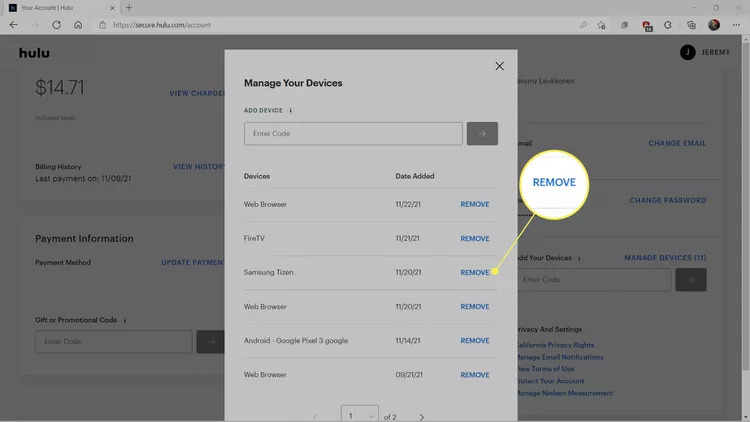
If you want to Hulu login activate a new device but reached your limit, you can remove old devices linked to your account by following these steps:
Step 1: Go to http://www.hulu.com/activate or Hulu’s main website and sign in from a desktop browser.
Step 2: Click on your profile icon, then go to Account.
Step 3: Find the Manage Devices section under your account settings.
Step 4: Locate the device you want to remove and select Remove.
This frees up space to Hulu com login activate your new device without errors.
Why Manage Devices When You Hulu Activate Login?
When you use the Hulu.activate/login page to activate devices, Hulu ties that device to your account. Without managing your devices, you might:
- Hit limits on simultaneous streams.
- Encounter errors when trying to Hulu com activate login a new device.
- Have difficulty streaming due to too many activated devices.
Regularly checking and managing devices helps you avoid these issues and ensures smooth access.
Bonus: Watch Hulu Offline Without Activation Using StreamFox
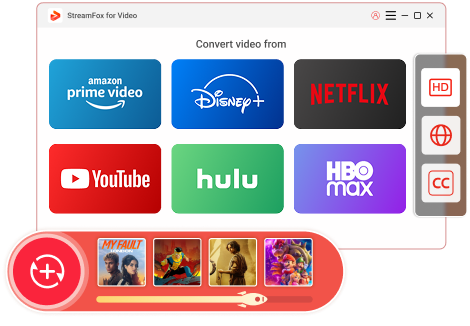
If you encounter difficulties with Hulu login activate codes or prefer to avoid the hassle of device activation altogether, there’s a convenient alternative you’ll appreciate. Eassiy One-stop Streaming Video Downloader—StreamFox for Video allows you to download Hulu content and watch it offline—no activation codes needed, no device limits, just smooth, high-quality playback anytime, anywhere.
This all-in-one streaming video converter supports downloading from popular platforms like Hulu, Netflix, Amazon Prime Video, Disney+, and more. With fast performance and multiple output format options, StreamFox is an ideal choice for enjoying your favorite shows offline on any device.
Features:
- Transforms videos in resolutions ranging from 1080p to 4K without quality loss. Export videos in MP4, MKV, or MOV to fit any device.
- Quickly convert several videos simultaneously with rapid 10X processing speeds.
- Simply paste the video URL or drag and drop to start the conversion.
- Search and stream right within the application for enhanced convenience.
- View your saved videos on smartphones, tablets, smart TVs, or laptops.
Follow these steps to watch Hulu offline without activation using StreamFox –
Step 1: Visit the official StreamFox site and download the application. Open the application and select Hulu from the available platform options.
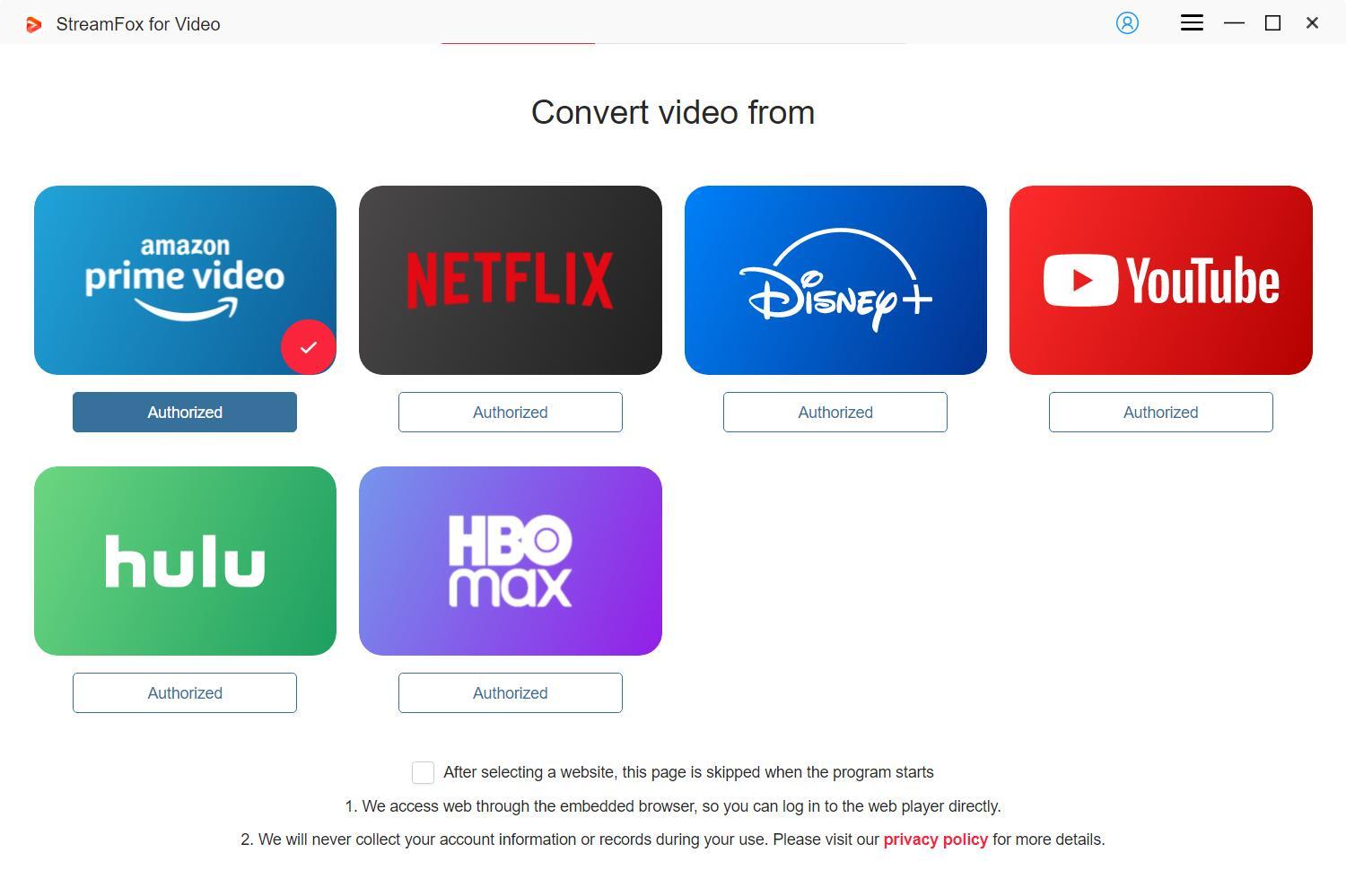
Step 2: Access your Hulu account via the integrated browser in StreamFox.

Step 3: Locate the content by either dragging the title to the red “Add to Queue” section or entering it manually in the search field.
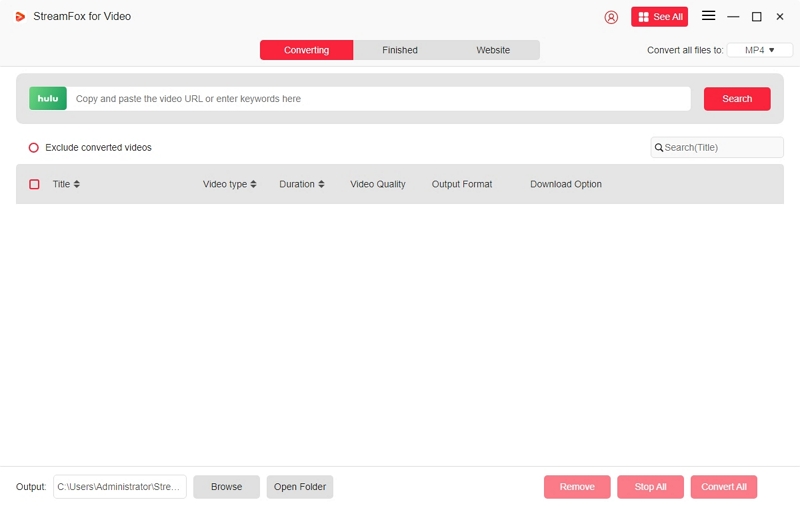
Step 4: To maximize efficiency, you can select multiple episodes or shows simultaneously with the batch download option.
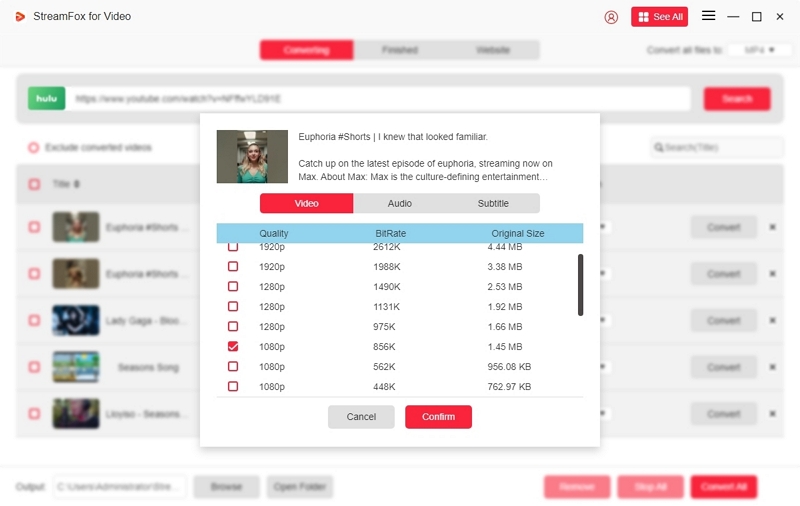
Step 5: Select your preferred video resolution—1080p is set as the default. Additionally, you can choose your desired audio and subtitle languages prior to downloading.
Step 6: Choose your video output format from the dropdown list.
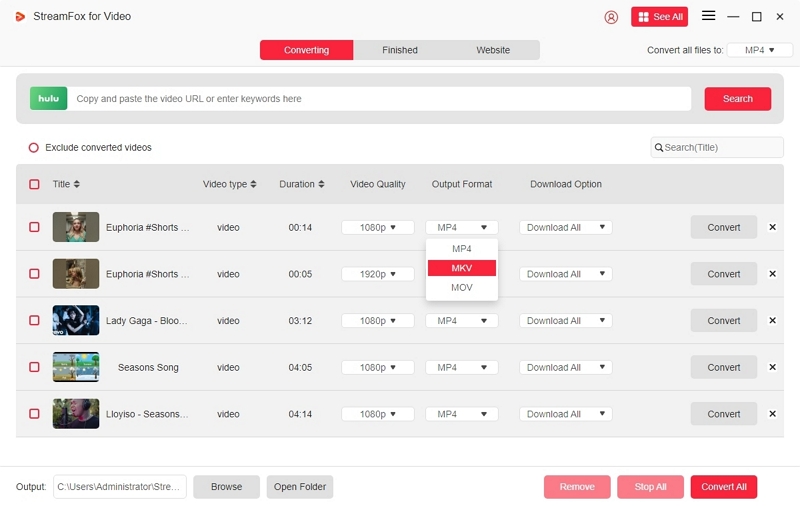
Step 7: If you intend to download multiple titles simultaneously, select the relevant boxes and press “Convert All”.
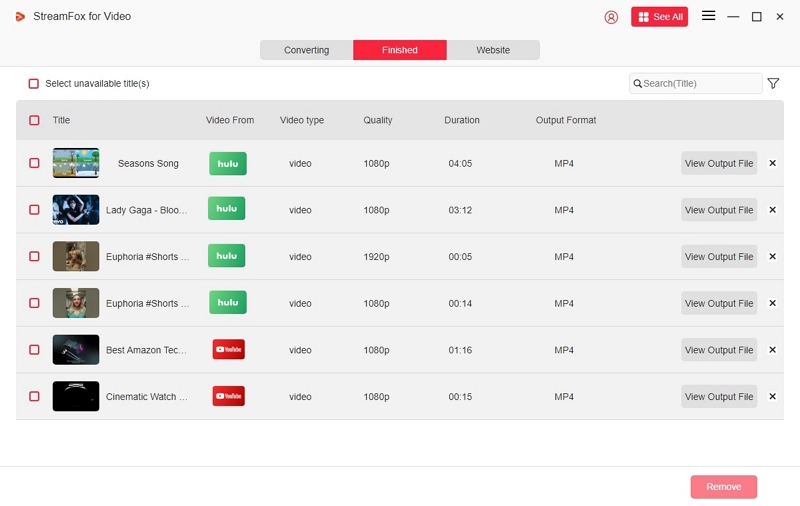
After finishing, go to the “Finished” tab to locate your Hulu content that is ready for offline viewing.
FAQs
Do I need an activation code to log in to Hulu on my phone or tablet?
No. You don’t require an activation code on tablets and mobile devices. Just download the Hulu application, launch it, and sign in with your email and password. The activation procedure is primarily utilized for devices such as smart televisions and media streaming players.
How do I fix login problems when using a Disney bundle?
If you’ve transitioned to a Disney+ / Hulu bundle and are unable to access Hulu, reset or modify your password at my.disney.com. Numerous users resolved ongoing login loops by taking that action.
Why am I not receiving the Hulu activation code?
The code may be hidden because of internet problems, old applications, or a brief synchronization lag. Restart the Hulu app to create a new code and make sure your internet connection is steady.
Conclusion
Activating Hulu on different devices can be straightforward if you adhere to the correct procedures. This guide has you covered, whether you’re installing it on a smart TV, gaming console, or mobile device. To enhance your offline viewing without the hassle of activation codes, we strongly suggest StreamFox for Video. It is a dependable solution for downloading and enjoying Hulu content whenever and wherever you want.