Help Center
Updated on 2026-04-14
views
5min read
When you’re trying to save a few tracks from Spotify, SpotifyMate Spotify Downloader, a popular online downloader must come to your mind first. SpotifyMate is quick, simple, and widely used. However, is it reliable? Can you trust it for safe downloads? Are there restrictions you should know about? In this review of SpotifyMate Spotify Downloader, we’ll break down everything you have to know: where it performs well and where it falls short.
We’ll also guide you through using SpotifyMate on both desktop and mobile. In case that SpotifyMate doesn’t meet your needs, we introduce its best 7 alternatives to you either, including the online, desktop and mobile options.
Tip: The best alternative to SpotifyMate is Eassiy Screen Recorder Ultimate, which allows you to record any audio playing on your screen in high quality and save it as MP3 permanently!
Brief Introduction of SpotifyMate Spotify Downloader
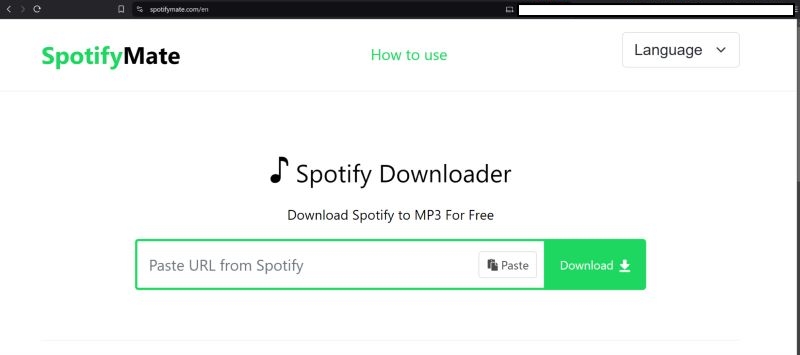
SpotifyMate, as the name suggests, is a dedicated online utility designed to download tracks from Spotify. It works entirely on your browser, so there is no need for app installations, registration, or complicated setup processes. Plus, it works on any computer browser and also offers a progressive web app (PWA) for mobile users. The utility is fast, efficient, and, most importantly, free to download individual Spotify songs. Here’s a quick overview of what to expect from SpotifyMate Spotify Downloader:
| Feature | Details |
|---|---|
| Supported Audio Type | Its official website states that it supports songs, playlists, and albums from Spotify. |
| Supported Format | MP3 output |
| Sound Quality | 128 kbps output |
| ID3 Tag Preservation | Most ID3 tags are preserved, but it adds a “SpotifyMate.com” watermark to each song title. |
| Ads | Ads are present. However, it works well on browsers with an ad blocker without interruptions. |
Extra: You can also try MyFreeMP3 and BeeMP3, 3 online tools allowing you to download music in MP3.
What Do Users Say About SpotifyMate Spotify Downloader
Whenever we review an online tool, we carefully check what users have to say first. This early analysis helps us stay cautious, but more importantly, it lets you know about the tool from a diverse perspective. So, here’s what we discovered before moving on to our hands-on testing.
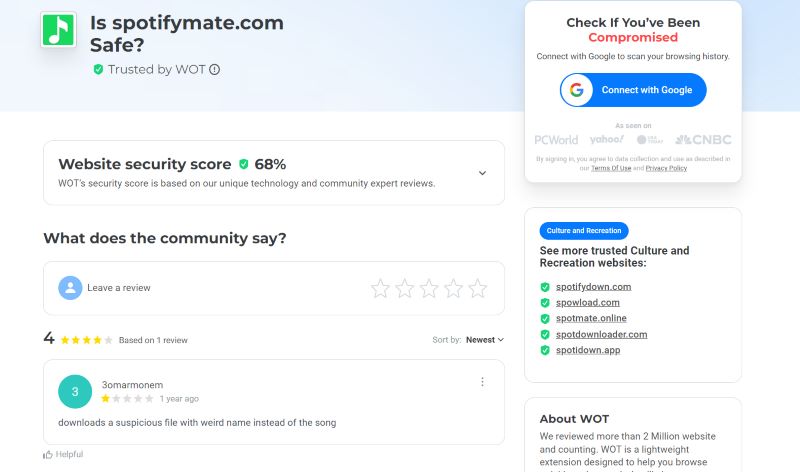
1. 3omarmonem (on MyWOT): Left a one-star review, describing SpotifyMate as suspicious. He noted that the downloader often produces files with random names instead of proper titles. Note that: this is a clear sign of metadata issues, which is very common with online tools.
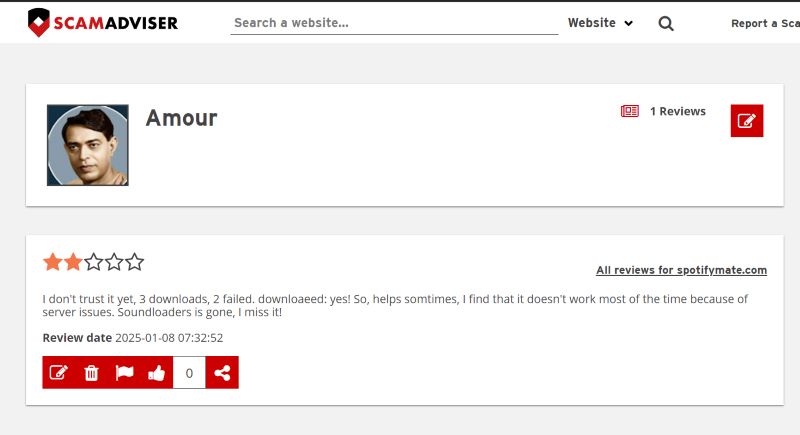
2. Amour (on ScamAdvisor): Expressed doubts, saying, “I don’t trust it yet. Three downloads, two failed.” The inconsistency and failed downloads didn’t leave a good impression on the user.
3. Scam-Detector Engineers: We also spoke with the team a ScamDetector. After careful analysis, they pointed out a vulnerability in the HTML code of SpotifyMate. This is something to keep in mind, especially if safety is a top concern.

Is SpotifyMate Spotify Downloader Safe?

The primary concern with SpotifyMate is its ads. Without an ad blocker, you risk annoying pop-ups and redirects. Yes, a valid HTTPS connection is present. However, there are still some risks. For example, its ads link to suspicious websites. In fact, Scam Detector, a trusted validator, gives it a very low safety rating. Here’s a breakdown:
| Parameter | Details |
|---|---|
| HTTPS Connection | Valid HTTPS Found |
| Proximity to Suspicious Websites | 23/100 |
| Phishing Score | 22/100 |
| Malware Score | 15/100 |
| Spam Score | 1/100 |
| Overall Trust Score | 29.5/100 |
In conclusion: use SpotifyMate with an ad blocker, and you can minimize risks. Just make sure not to click on unnecessary pop-ups and links on the site as it’s not entirely safe.
Is SpotifyMate Spotify Downloader Legit?
Yes, it’s legit for personal use. SpotifyMate Spotify Downloader does what it says: downloads Spotify tracks in 128kbps MP3 format without issues. You can set the songs downloaded by SpotifyMate as your phone ringtones or alarms.
How to Use SpotifyMate Spotify Downloader for Spotify MP3 Downloads
SpotifyMate works across devices through any browser. The process is simple, nearly identical on both mobile and computers. To make sure everything’s clear, let’s break down how it works. First, for computers, then for mobile.
On Windows/macOS
Use any browser to open spotifymate.com. You’ll be limited to downloading two songs per day on ad-supported browsers. Beyond the limited number, errors will appear and you cannot continue further downloads. To avoid interruptions, stick to browsers without ad-blocking. That said, here are the steps to download Spotify songs using SpotifyMate on computer browsers:
Step 1. Open Spotify on your computer. Find the track that you want to download.
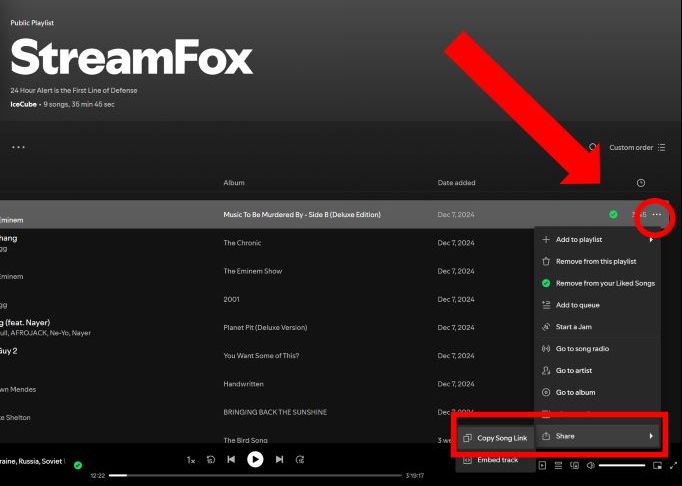
Step 2. On the right side of its title, click on the three-dot menu. From the drop-down options: choose Share and hit Copy Song Link. Now, you’ve got the track’s unique link.
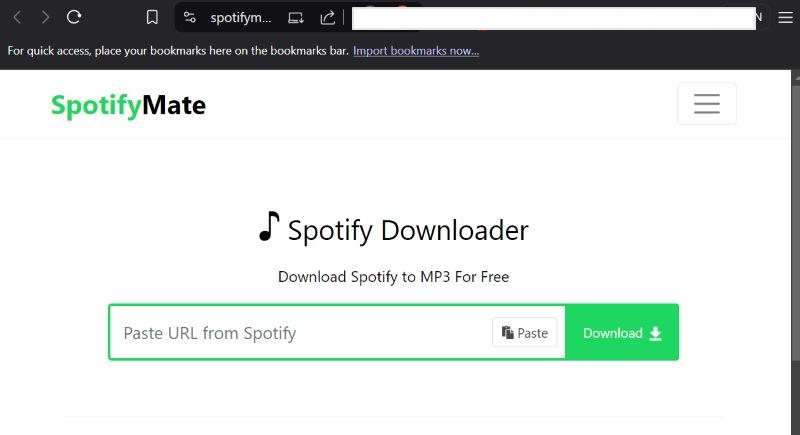
Step 3. Fire up your browser, such as Chrome, Firefox, Edge. Type spotifymate.com into the address bar and hit Enter.
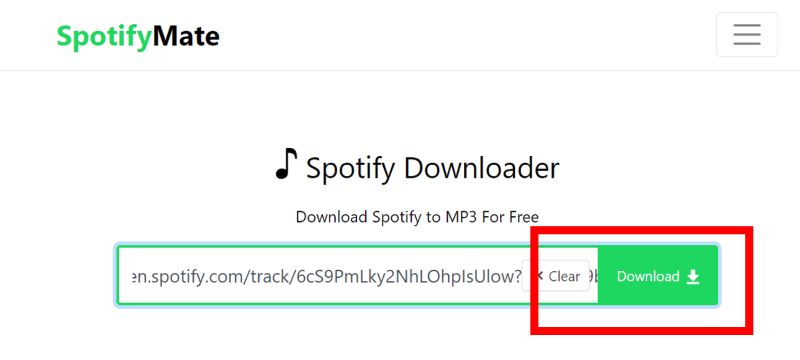
Step 4. Paste the copied song link into the input box and hit the Download button.
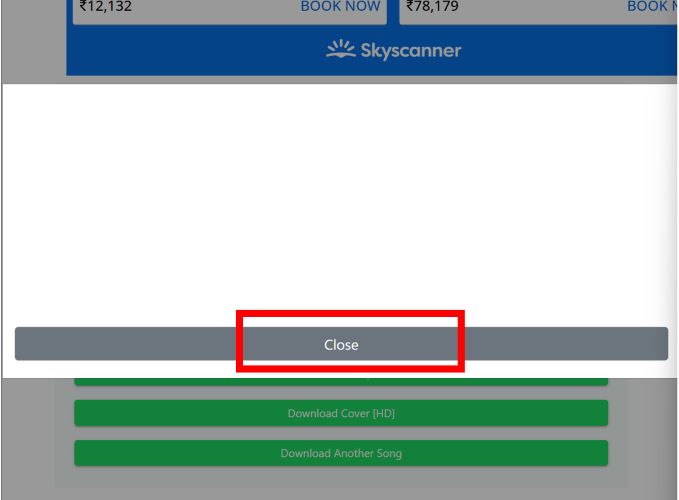
Tip: Ads might pop up now. Just ignore and close them. Clicking on ads will drag you into endless redirects.
Step 5. You’ll see the green Download MP3 button after clicking Download. Click it and the download will start.
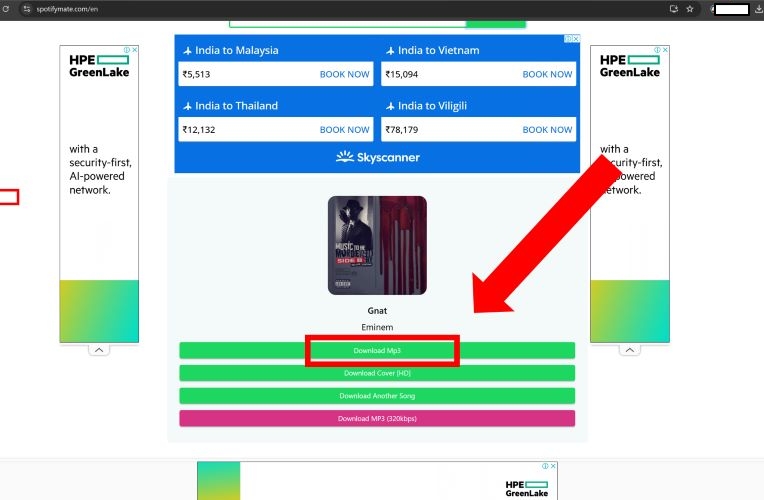
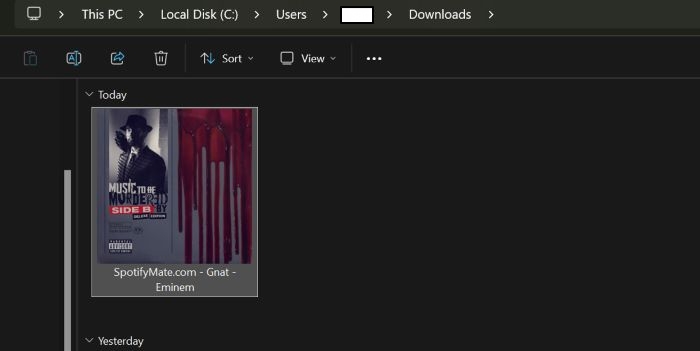
Step 6. The downloaded Spotify file will land in your default Download directory. You’ll see the song name, though with a "spotifymate.com" tag along. Still, the song essentials remain: the artist name, the track title, and even the cover art
On Android or iPhone
On mobile, there’s a better way to access SpotifyMate. You can add SpotifyMate directly to your home screen using the Progressive Web App (PWA) feature. This shortcut lets you reach the downloader in a single tap. Here are the steps to add SpotifyMate to your homescreen and download Spotify songs using it:
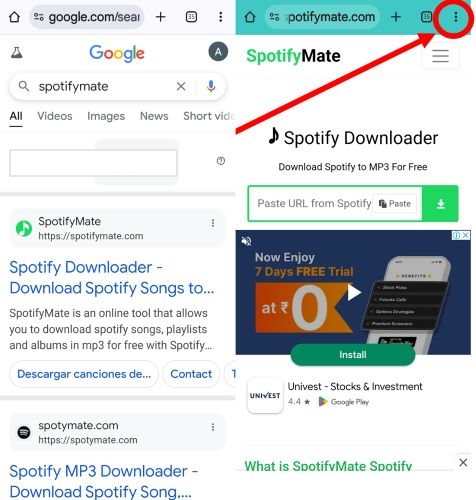
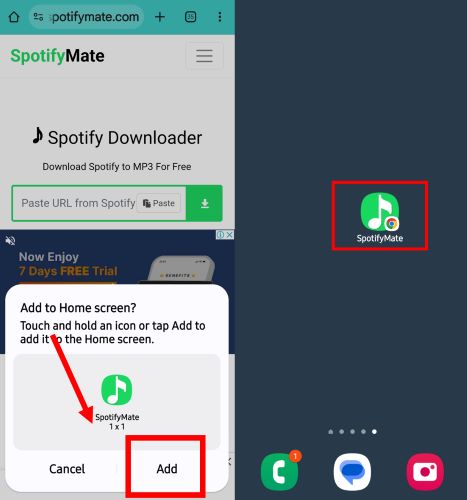
Step 1. Open Chrome on your phone. Search for SpotifyMate and go straight to the site. Once it’s fully loaded, tap on the toolbar to load all the options.
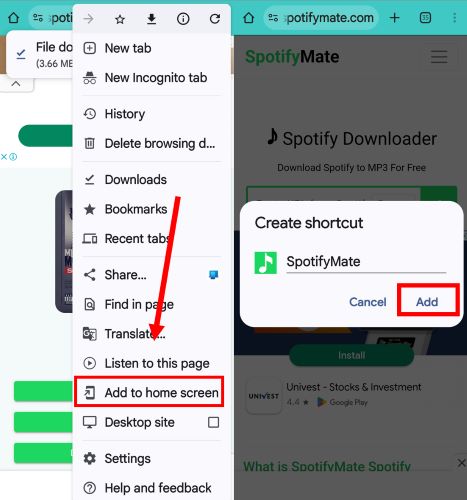
Step 2. From the options: select Add to Home Screen. A window will pop up. It’ll ask you to give your shortcut a name. Keep it simple. “SpotifyMate” works. Then, hit Add.
Step 3. Choose the widget type. Then, the shortcut will be added to your home screen. Now, whenever you need to download a track with SpotifyMate, you won’t have to search for its site again.
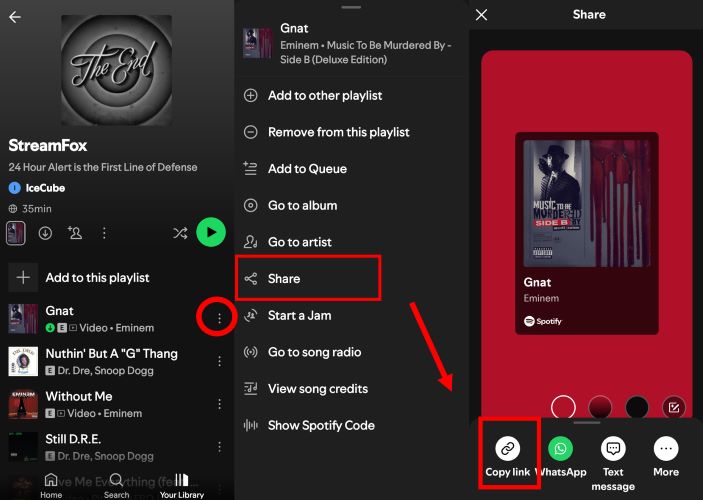
Step 4. Open Spotify app and find the track you want. Tap the three-dot menu next to the song, choose Share and hit Copy Link.
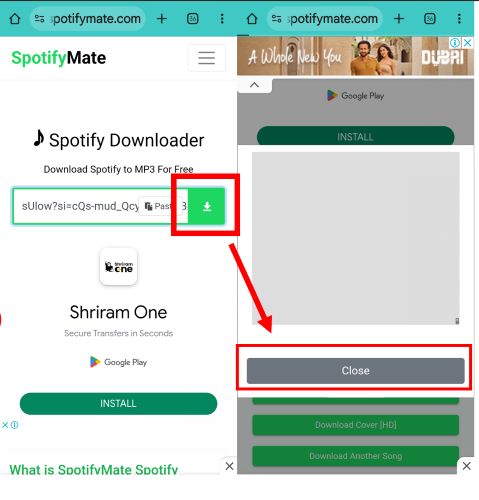
Step 5. Tap the SpotifyMate shortcut to access its site instantly. Paste the copied link into the input bar and hit the download arrow icon. Ads might show up. Simply close any pop-ups.
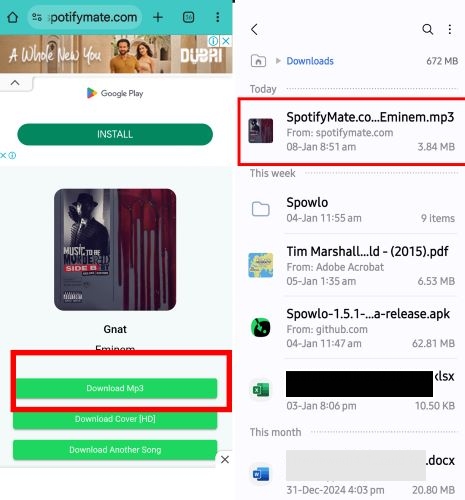
Step 6. Then click Download MP3. Done. You’ll find the wanted Spotify song in your Downloads folder of the Files app on your Android or iPhone devices.
Detailed Test of SpotifyMate Spotify Downloader
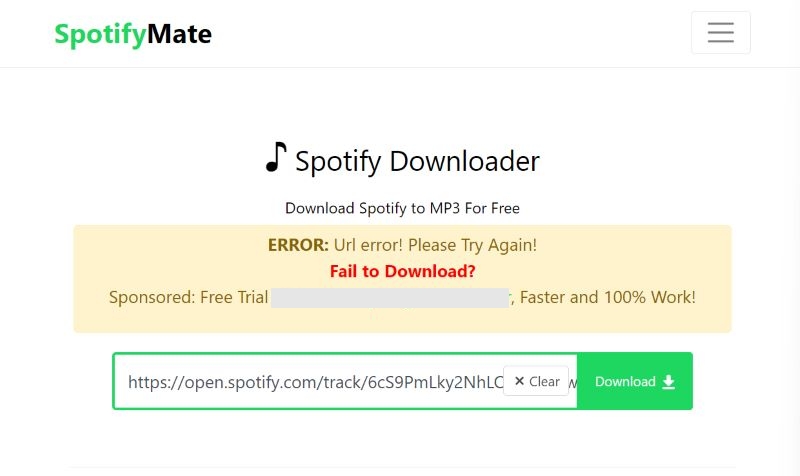
Up to now, you’ve seen what SpotifyMate is and how it works. However, what do you actually get in practice? So, here’s a table we created after test, showing you how it performs: what works well, where it falls short, and how it handles the download process. This should give you a clearer picture of its real capabilities.
| Test Parameter | Result | Reason |
|---|---|---|
| Individual Song Download Success | High success rate (~95%) | Most tracks download smoothly without errors. Occasional glitches occur due to server load. |
| Download Time (Individual Song) | 30–40 seconds | Relatively fast, though it will vary based on server responsiveness and network speed. |
| Playlist/Album Download Success | Fails completely (0%) | When we tested the Spotify playlist download feature of SpotifyMate, we found that it doesn’t support bulk downloads. It will redirect you to sponsored alternatives. |
| Multiple Songs with Ad Blocker | Stops after 2 downloads | Blocked because of the site’s reliance on ads for revenue. Turning off the ad-blocker will help. |
| Accuracy of Retained ID3 Tags | Mostly accurate (~85%) | Song titles and artist names are correct, but genre and album metadata are often missing. |
| Sound Quality | 128 kbps, despite claiming 320 kbps | The actual bitrate is always 128 kbps, much lower than the claimed 320 kbps quality. |
| Need for Spotify Premium | No requirement for Premium | SpotifyMate works with free accounts, making it accessible to all users. |
| Downloaded Song Version Consistency | Versions sometimes will be slightly different from your wanted one. | Since songs come from other sources, expect minor variations in versions and audio quality, compared with the original ones. |
So, that gives you a clear picture of how it works when you use it. There’s solid proof that it performs well for downloading individual songs. And it’s a good option if you just want two or three tracks: maybe for a ringtone or a favorite song you want.
However, if you’re an audiophile or care about proper metadata and decent audio quality, it’s not the ideal choice. During our testing, it left us unimpressed in these areas.
Best Desktop Alternative to SpotifyMate Spotify Downloader
Online downloaders like SpotifyMate are easy to access, but you’ve noticed how they fall short: constant ads, improper metadata, poor audio quality, and frequent link failures. Can you avoid these issues when saving music locally? Yes, and a dedicated desktop tool like Eassiy Screen Recorder Ultimate makes that possible.
Eassiy Screen Recorder Ultimate is a powerful recording tool designed to capture any audio playing on your computer without compromising on output quality. Unlike browser-based converters that rely on unstable web servers, this screen recorder captures exactly what you hear directly from your system sound. You can easily record any streaming audio and save it as MP3, AAC, FLAC, or WAV. It guarantees a 100% safe recording environment free from ads and popup windows.
Eassiy Screen Recorder Ultimate
Record any audio playing on your device and save it as MP3, AAC, FLAC, and more with system sound capture and permanent offline access.
Key Features
- Record any audio stream in high quality — songs, playlists, podcasts, audiobooks, and more.
- Supports multiple output formats including MP3, AAC, FLAC, and more.
- Built-in timer for hands-free, automated recording sessions with no set limit.
- Preview recordings before saving to ensure quality.
Steps to use Eassiy Screen Recorder Ultimate to record audio:
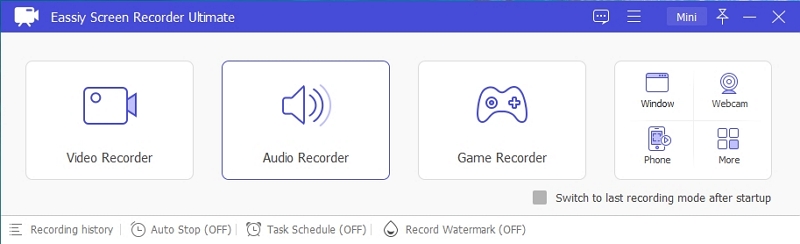
Step 1. Download and install Eassiy Screen Recorder Ultimate on your Windows or Mac computer. Once launched, select the Audio Recorder feature from the main interface.
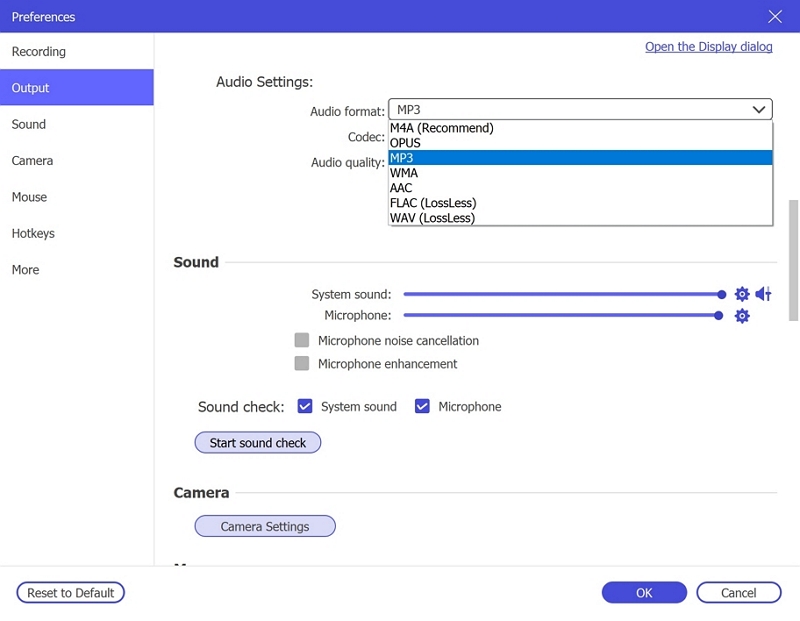
Step 2. Configure your audio recording settings. Enable System Sound to capture the audio playing on your computer. Optionally enable the microphone if needed. Click Settings → Preferences → Output to select your desired audio format (e.g., MP3, AAC, FLAC) and set the quality to High. Click OK to save.
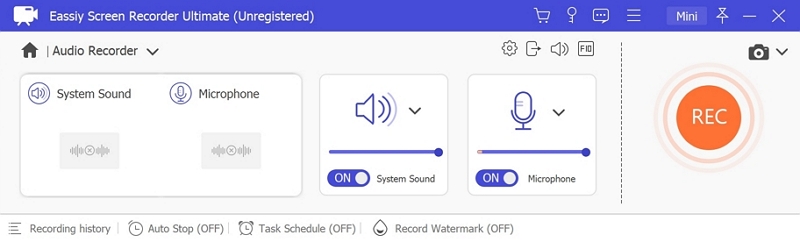
Step 3. Play the audio you wish to record, then click REC to begin recording. Use the toolbar to adjust volume, pause, or stop at any time. To automate the process, click the clock icon to set a recording duration in advance.
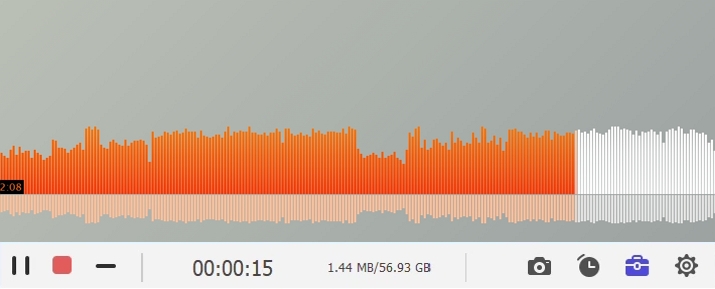
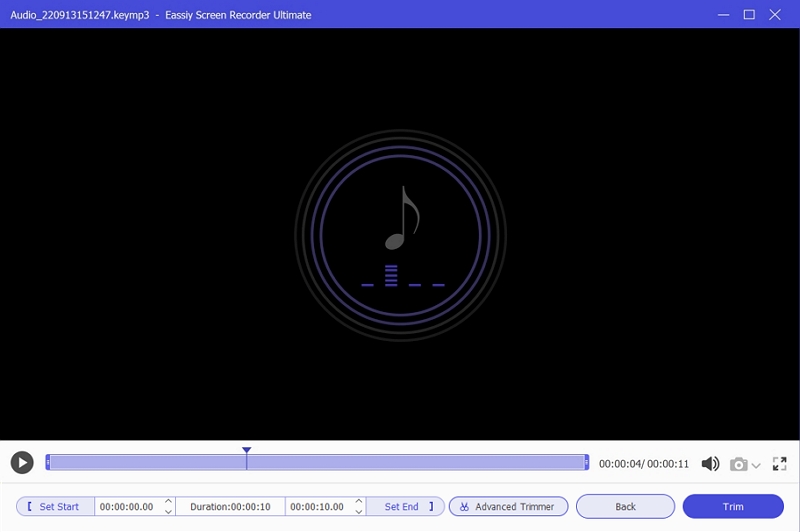
Step 4. When finished, click Stop and preview your recording. Save it in your preferred format to your computer for offline listening anytime.
5 Online Alternatives to SpotifyMate Spotify Downloader
When it comes to using SpotifyMate’s alternatives for downloading Spotify content, make note that most online tools operate in a similar manner. The mechanics are straightforward: paste the link, battle with ads, and download the Spotify file. Still, some distinctions do exist. Therefore, let's dive into a list of the most popular options on the internet and see what they have to offer:
| Tool Name | Multiple Downloads | Audio Quality | Source of Music | ID3 Tags Preservation | Free/Paid | Dedicated App Available |
|---|---|---|---|---|---|---|
| spotifydown.com | Yes, up to 10 songs | 128-256 kbps | YouTube and open-source libraries | Yes, but some inaccuracies and watermark included | Free | No |
| spotdown.com | Big playlists supported | Variable, depends on source | YouTube, Gaana, Saavn | Yes, but occasional errors occur | Free version limits 2 songs per ZIP. US$ 20 unlocks a bigger size playlist. | No |
| spotmate.com | Yes, but suitable for a smaller tracklist. | 256 kbps or 320 kbps | Own sources | Some tags are present. No branding, though. | Completely free | Yes |
| spowload.com | Yes, up to 10 songs | 256 kbps | YouTube, Gaana, Saavn | Yes, but have slight metadata errors. spowload.com tag is also present in the file name. | Free | No |
| spotdownloader.com | Suitable for big playlists too. | Variable, generally high. | YouTube, sometimes others | No, inconsistent. Watermark is present. | No charges. | No |
Top Mobile Alternative to SpotifyMate Spotify Downloader
Some online tools go a step further by offering dedicated apps on the Play Store. One such option is SpotMate. However, it is designed specifically for Android users. As for iPhone users, things aren’t as flexible. If you’re on Android, downloading and using the SpotMate app is straightforward. Follow these steps to get an overview:
Step 1. You will have to use the song link to download the related song, even from a mobile application. So, first, open Spotify and copy the desired song link.
Step 2. Search for SpotMate from the Play Store, install it and launch the app. Then, paste the Spotify song link in the input bar to get your tracks.
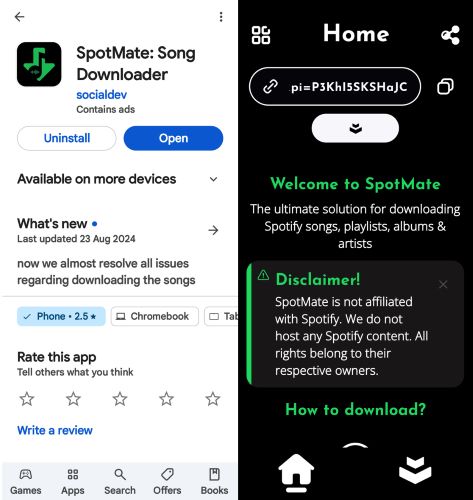
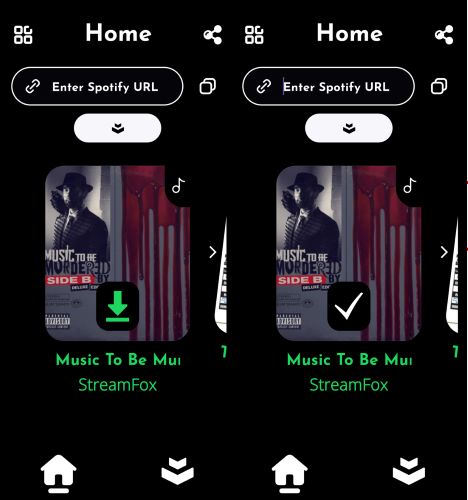
Step 3. Click on the Download icon on the song card. You’ll see a checkmark once the Spotify track is downloaded to your Android device. You can access it via Downloads subfolder via the Files app.
Conclusion
So, that wraps up the in-depth review of SpotifyMate Spotify Downloader. Is it worth your time? That depends on what you need. For grabbing a couple of Spotify songs without worrying about top-tier quality: SpotifyMate is enough. And, for quick, simple downloads, yes, SpotifyMate does the job.
For those who want original high-quality audio, a 100% safe environment, and the ability to capture any sound seamlessly, Eassiy Screen Recorder Ultimate is the way to go. You don’t have to deal with ads or broken web links and will only get consistent, high-quality audio every time.