Help Center
Updated on 2026-04-02
views
5min read
HBO Max video downloaders are essential for anyone who wants to watch content offline, without depending on internet speed, login issues, or app restrictions. Whether you're traveling, sharing a device, or simply want to keep your favorite movies and shows forever, using a dedicated downloader is the smartest choice.
But with so many tools available, which HBO Max downloader actually works best in 2025?
In this article, we compare the top 7 HBO Max video downloaders, highlighting their features, pros and cons, output quality, and more. Plus, we’ll show you one standout tool that goes beyond standard downloaders—letting you download, transfer, and watch HBO Max videos with complete freedom.

Part 1: What to Look for in an HBO Max Video Downloader
While the HBO Max app allows video downloads, the feature comes with frustrating limitations:
- Downloads expire after 30 days.
- Once playback begins, you only have 48 hours to finish.
- Plan-based restrictions prevent downloads on ad-supported subscriptions.
- Device limits and regional restrictions further limit your viewing freedom.
Key Features to Look for in an HBO Max Video Downloader:
- HD/4K Resolution Support – for crisp playback quality, especially cinematic content
- Subtitles and Multiple language support – look for SRT, VTT, or embedded subtitles, and Dolby Atmos 5.1 audio
- Download speed – Utilize the batch download feature to simultaneously download multiple videos, enable background downloads for multitasking, and look for accelerated downloads to save time.
- Windows and Mac compatibility – cross-platform support ensures greater flexibility.
- Bypass account/device restrictions – ensures removal of DRM, allows downloads from ad-supported plans, and enables unlimited device playback.
- Free trial availability helps you test before committing; some tools offer a 3- to 5-minute download during the trial.
- Security & Privacy Protection – look for tools with no bundled malware, encrypted login, and no data tracking.
Part 2: Top 8 HBO Max Video Downloaders (Comparison Table)
This comparison table should simplify matters. (Please check the pricing, I’m not sure)
| Downloader | Ease of Use | Price (Lifetime) | Maximum Resolution | Subtitle Support | Supported Platforms |
|---|---|---|---|---|---|
| Eassiy Screen Recorder Ultimate | ⭐️⭐️⭐️⭐️⭐️ | $89.99 | Up to 4K | On-screen capture with system audio | Windows, macOS |
| TunePat HBO Max | ⭐️⭐️⭐️⭐️ | $89.90 | Up to 720p | SRT, VTT | Windows, macOS |
| Flixicam HBO | ⭐️⭐️⭐️⭐️ | $129.90 | Up to 1080p | SRT | Windows, macOS |
| SameMovie HBO | ⭐️⭐️⭐️⭐️ | $89.90 | Up to 1080p | SRT, SUP, hardcoded | Windows, macOS |
| Cleverget Max | ⭐️⭐️⭐️⭐️⭐️ | $69.96 | Up to 720p | SRT, SUP | Windows, macOS |
| Pazu HBO Max | ⭐️⭐️⭐️⭐️ | $89.90 | Up to 1080p | Embedded, external | Windows, macOS |
| FlixGrab | ⭐️⭐️⭐️ | $59.99 (1-year) | Up to 1080p | TTML, SRT | Windows only |
| KeepStreams for HBO Max | ⭐️⭐️⭐️⭐️⭐️ | $119.99 | Up to 1080p | SRT, Remux | Windows, macOS |
Part 3: Individual Reviews – 8 HBO Max Video Downloaders
Let us review eight HBO Max video downloaders and determine which one best suits your requirements.
1. Eassiy Screen Recorder Ultimate
Recommended Reason:
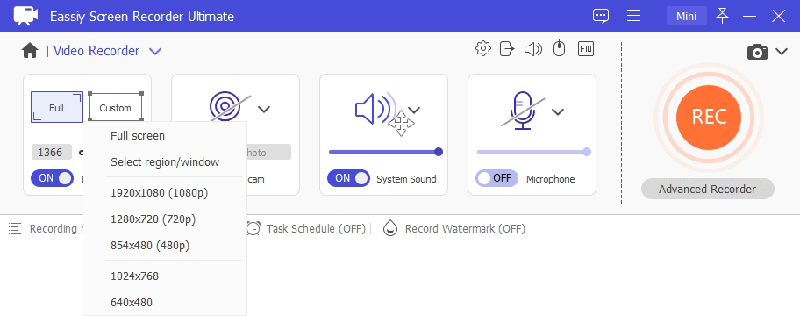
One of the most versatile and reliable tools for saving streaming content offline, Eassiy Screen Recorder Ultimate lets you capture any video playing on your screen in high quality and save it permanently in VLC-compatible formats.
Advantages
- Records any on-screen video in up to 4K resolution with no quality loss
- Captures system audio and microphone simultaneously
- Output Formats: MP4, MKV, MOV (compatible with smartphones, tablets, PCs, and smart TVs)
- Flexible recording area — full screen or custom region
- Real-time annotation tools for highlighting content during recording
Disadvantages
- No mobile app version
- Recording duration depends on available storage
Price (Lifetime): $49.95–$159.95, free trial available
Expert evaluation: Eassiy Screen Recorder Ultimate is not just a recording tool—it's a powerful, ad-free solution for capturing and permanently saving any streaming video. It supports up to 4K resolution, flexible output formats, and simultaneous audio capture, making it ideal for users who want complete control over their offline video library without platform restrictions.
2. TunePat HBO Max Video Downloader
Recommended Reason:
TunePat HBO Max Video Downloader is a straightforward, beginner-friendly tool for saving HBO Max titles offline. Its clean interface and multilingual subtitle support make it a good choice for casual users.
Advantages
- Batch download capability
- Automatic ad removal
- Audio track selection for multiple languages
Simple, intuitive interface
Disadvantages
- Slower download speeds compared to top competitors
- Limited trial (only 5-minute video clips)
- Occasional stability issues during long download sessions
Price (Lifetime): $79.95-$159.90
Expert evaluation: In our test, TunePat handled HBO Max downloads smoothly with accurate subtitles and decent audio quality. However, the 720p cap and slower speeds make it less ideal for users seeking full HD or 4K playback.
3. Flixicam HBO Max Downloader
Recommended Reason:
Flixicam offers stable performance and delivers HBO Max downloads in crisp 1080p quality, with support for MP4/MKV formats and multilingual subtitles (SRT or embedded), making it a solid choice for most offline viewing needs on Windows and macOS.
Advantages
- Consistently high-quality downloads
- Faster speeds than many competitors
- Simple, clean interface
Disadvantages
- Trial version limited to 5-minute clips
- No subtitle customization options
Price (Lifetime): $79.95-$89.90
Expert evaluation: Flixicam is an ideal video converter tool because of its reliability and ability to ensure high-quality formats. The lack of subtitle customization reduces its global appeal, but its user-friendliness is a positive feature.
4. Samemovie HBOMax Video Downloader
Recommended Reason:
SameMovie delivers HBO Max downloads in up to 1080p resolution with MP4/MKV support and flexible subtitle options (internal, external, hardcoded). Available for Windows and macOS, it offers fast batch downloads and ad-free playback for smoother offline viewing.
Advantages
- Fast batch downloads
- Subtitle flexibility
- Ad-free output
Disadvantages
- Trial limitations
- Occasional login issues
Price (Lifetime): $79.95-$159.9
Expert evaluation: SameMovie offers smooth 1080p HBO Max downloads with flexible subtitle settings and no ads. While some users have reported login and error code issues, its fast batch download speed makes it a practical offline viewing option.
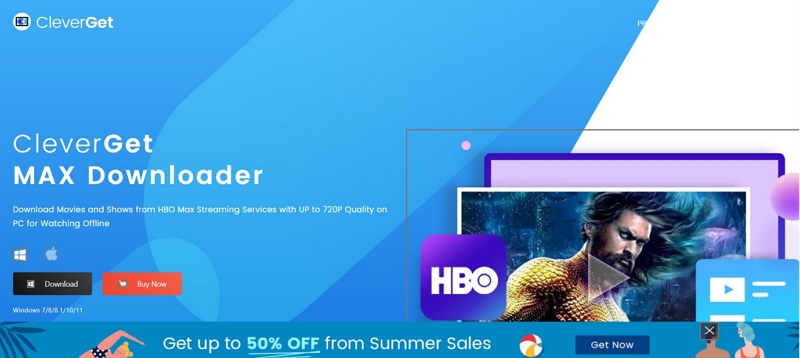
5. Cleverget Max Downloader
Recommended Reason:
Cleverget Max Downloader is compatible with Windows and macOS, supports MP4 and MKV formats, and delivers up to 1080p quality with multilingual subtitle support and customizable formats. It includes GPU acceleration for faster processing, resume download capability, and ad-free output.
Advantages
- GPU acceleration
- Resume downloads
- Ad removal
Disadvantages
- Slightly complex setup
- Limited subtitle styling
Price (Lifetime): $69.96
Expert evaluation: In testing, Cleverget handled simultaneous HBO Max downloads smoothly, and GPU acceleration noticeably improved performance. Setup takes a bit more effort, and subtitle styling options are basic, but the stable output and competitive pricing make it a strong budget-friendly choice.
6. Pazu HBO Max Video Downloader
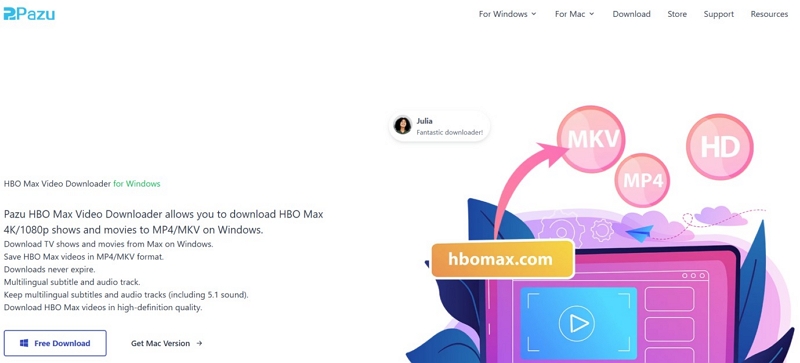
Recommended Reason:
Pazu HBO Max Video Downloader works on Windows and macOS, supports MP4 and MKV formats, delivers up to 1080p resolution, and allows multiple subtitle formats with audio track selection. Its clean interface and quick operation make it beginner-friendly, while still offering flexibility for advanced users.
Advantages
- Clean UI
- Fast downloads
- Subtitle and audio selection
Disadvantages
- Trial limited to 5 minutes
- Occasional crashes reported
Price (Lifetime): $99.90-$159.9
Expert evaluation: Pazu Video Downloader offers limitless downloads in multiple formats, with resolutions reaching 1080p. Additionally, it supports multi-language audio and subtitles, making Pazu a decent choice for global users. However, users have reported slower downloading speeds compared to its competitors.
7. FlixGrab Video Downloader
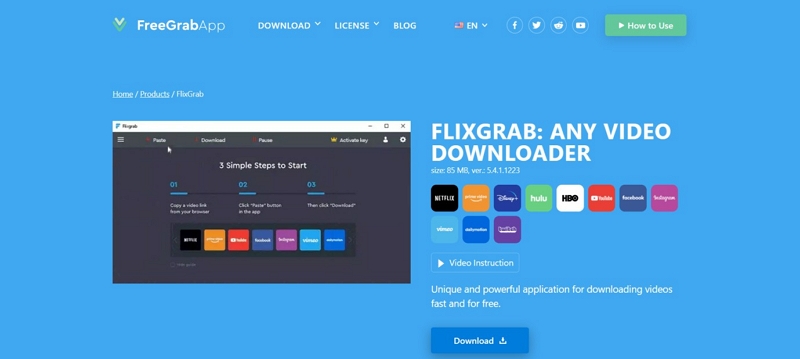
Recommended Reason:
FlixGrab Video Downloader is a Windows-only tool that supports MP4 format and offers up to 720p resolution with basic subtitle support. Its lightweight design and straightforward interface make it easy to use, but the lower resolution and limited customization may not meet advanced needs.
Advantages
- Lightweight
- Simple interface
Disadvantages
- One license only valid for 1-year subscription on a single PC
- Windows only, no macOS support
Price (Lifetime): $44.99 per year
Expert evaluation: Testing showed Flixgrab handles basic HBO Max downloads reliably and is quick to set up. While its integration with platforms like Instagram, Twitter, and Twitch is a plus, the lack of an integrated browser and macOS support restricts its versatility for some users.
8. KeepStreams for HBO Max
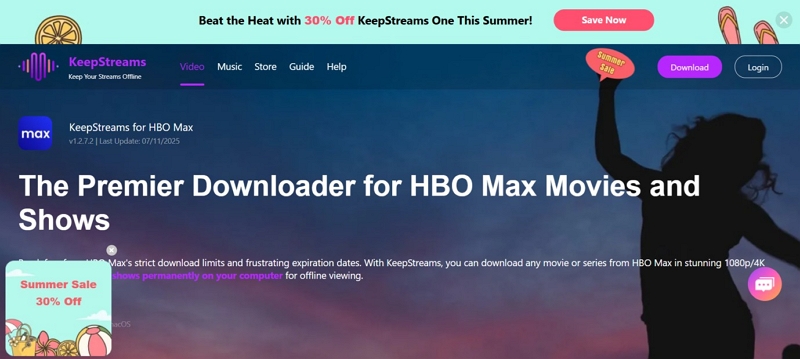
Recommended Reason:
KeepStreams is a versatile HBO Max video downloader compatible with both Windows and macOS. It supports popular formats like MP4 and MKV, offers up to 1080p resolution, and includes subtitle options such as SRT and remux. Its key features include fast downloads, automatic episode updates, and Dolby audio support, making it a strong choice for users seeking reliable HBO Max content downloads.
Advantages
- Fast downloads
- Auto-download new episodes
- Dolby audio support
Disadvantages
- Slightly higher resource usage
- Limited subtitle styling
Price (Lifetime): $23.99-$119.99
Expert evaluation: In real tests, KeepStreams proved effective for batch downloads and flexible output settings. Dolby audio enhances playback quality, but occasional storage management issues and slower download speeds were noticed. Overall, it remains a capable HBO Max video downloader with room for improvement in speed and resource optimization.
Part 4: The Most Suitable Method for Recording HBO Videos for Offline Viewing
Recording HBO Max videos using Eassiy Screen Recorder Ultimate is a straightforward process. Please complete the preparatory steps before using the tool.
- Download Eassiy Screen Recorder Ultimate from the official website to ensure genuineness.
- Although a free trial is available, registering is recommended to unlock all features.
Step 1: Install Eassiy Screen Recorder Ultimate on your device and launch it. Select Video Recorder from the main interface.
Step 2: Select your recording area. Choose full screen or drag to define a custom region around the video player window.
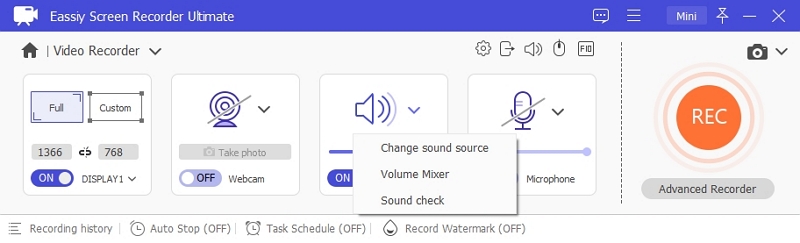
Step 3: Enable System Sound to capture the video's audio. Adjust the volume slider to your preference. Toggle on Microphone if needed.
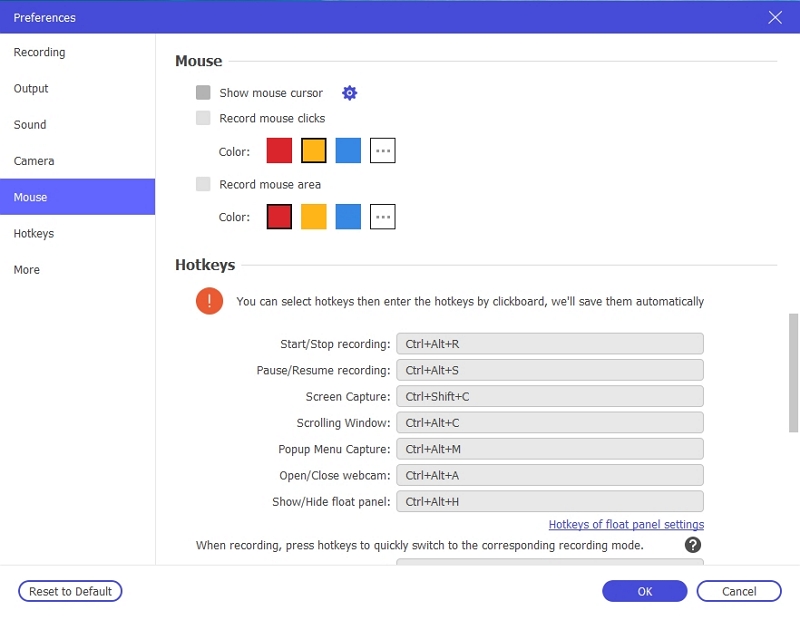
Step 4: Open Preferences to configure your output format, video quality, and hotkeys before starting the recording.
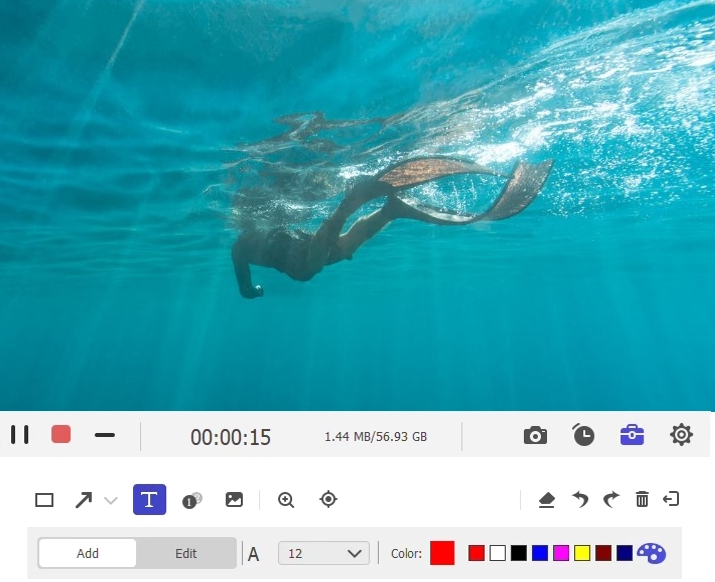
Step 5: Play the video on your screen, then click the REC button to begin recording. Use the annotation toolbar to add highlights or notes in real time if needed.
Step 6: Select your preferred output format from the settings. MP4 is recommended for the widest device compatibility.
Step 7: Click the Stop button when the video finishes. The recording will be automatically saved to your computer and ready for offline playback at any time.
Part 5: FAQs about HBO Max Video Downloading
Can I download HBO Max videos on my laptop?
The official HBO Max app does not allow you to download videos on your laptop. The facility is available on your mobile device alone. However, you can download HBO Max videos on your laptops and personal computers using HBO Max video downloaders.
Does the video quality drop when I use HBO Max video downloaders to download videos?
Top-tier screen recording tools, such as Eassiy Screen Recorder Ultimate, preserve resolutions of up to 4K with no noticeable quality loss. The output quality depends on the resolution of the source video being played on screen, so higher-quality streams yield better recordings.
Do HBO Max video downloader tools work with mobile devices?
Most third-party HBO Max video downloaders are not compatible with mobile devices. They are primarily designed to work with Windows and macOS desktops, saving videos in formats such as MP4 and MKV.
Conclusion
Streaming platforms offer convenient viewing options, but their built-in downloads come with various limitations such as expiry dates, device restrictions, and plan-based constraints. Third-party tools offer far greater flexibility, allowing you to save content permanently and store it on any device. We have reviewed eight popular tools to help you make the right choice. Among them, Eassiy Screen Recorder Ultimate stands out for its simplicity, high recording quality, and broad format support. Use it to enjoy your favorite streaming content offline at your convenience.